Freshmint is the platform for B2B events that more than one organization runs together: VIP dinners, executive roundtables, field events and conference side events. You plan with your co-hosts and sponsors in one place, fill the room from your own audience, and see which partner brought each attendee.
What you can do
- Publish an event page with your theme, cover image, venue and registration form. Creating an event publishes it, so it is ready to share as soon as you save.
- Recruit co-hosts and sponsors with a private sponsor link that shows your package, budget ask and who else is involved.
- Manage your attendees: approve registrations, run a waitlist, add people from your contacts, and export the list.
- Email your attendees: Freshmint writes and schedules a set of AI emails for every event, and you can write your own.
- Run check-in from attendees' phones, with a proof screen they show at the door and Apple or Google Wallet tickets.
- See who brought whom. Every registration is attributed to the host or sponsor whose link was used. No UTMs.
- Keep your audience: everyone who registers lands in your Contacts, tagged and searchable for the next event.
How the platform is laid out
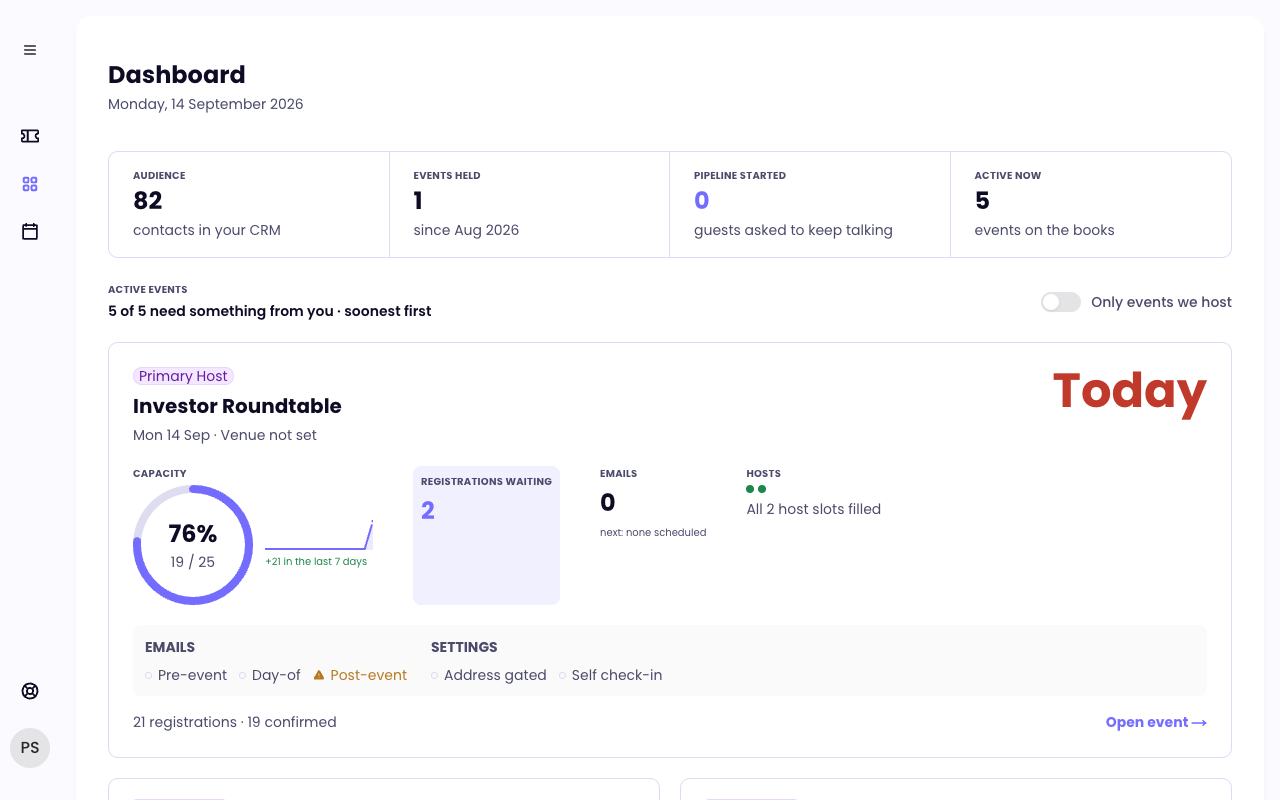
- Dashboard shows a card for each active event with registrations waiting, emails and settings at a glance.
- Events lists every event you host or work on. Open one to reach its tabs: Overview, Attendees, Hosts, Analytics, Budget, Notifications and Settings.
- My Events lists the events you are registered for as an attendee, with check-in on the day.
- Contacts is your organization's audience, built from every event.
- Copilot (press ⌘J, or Ctrl+J on Windows) answers questions about your events and contacts and drafts emails for you.
- Settings holds your profile, organization, team members, notification preferences, billing and connected apps. Open it from your avatar at the bottom of the sidebar.
Where to start
- Create your account and sign in
- Set up your organization
- Create and publish your first event
- Invite co-hosts and sponsors
Invited to someone else's event? Start with Getting started as a co-host or sponsor.
Still need help?
Email support@freshmint.ai or use the form in the help center. A person on the Freshmint team reads every message.
Contact support