Send invitations
- Open the event and go to the Hosts tab.
- Select Invite.
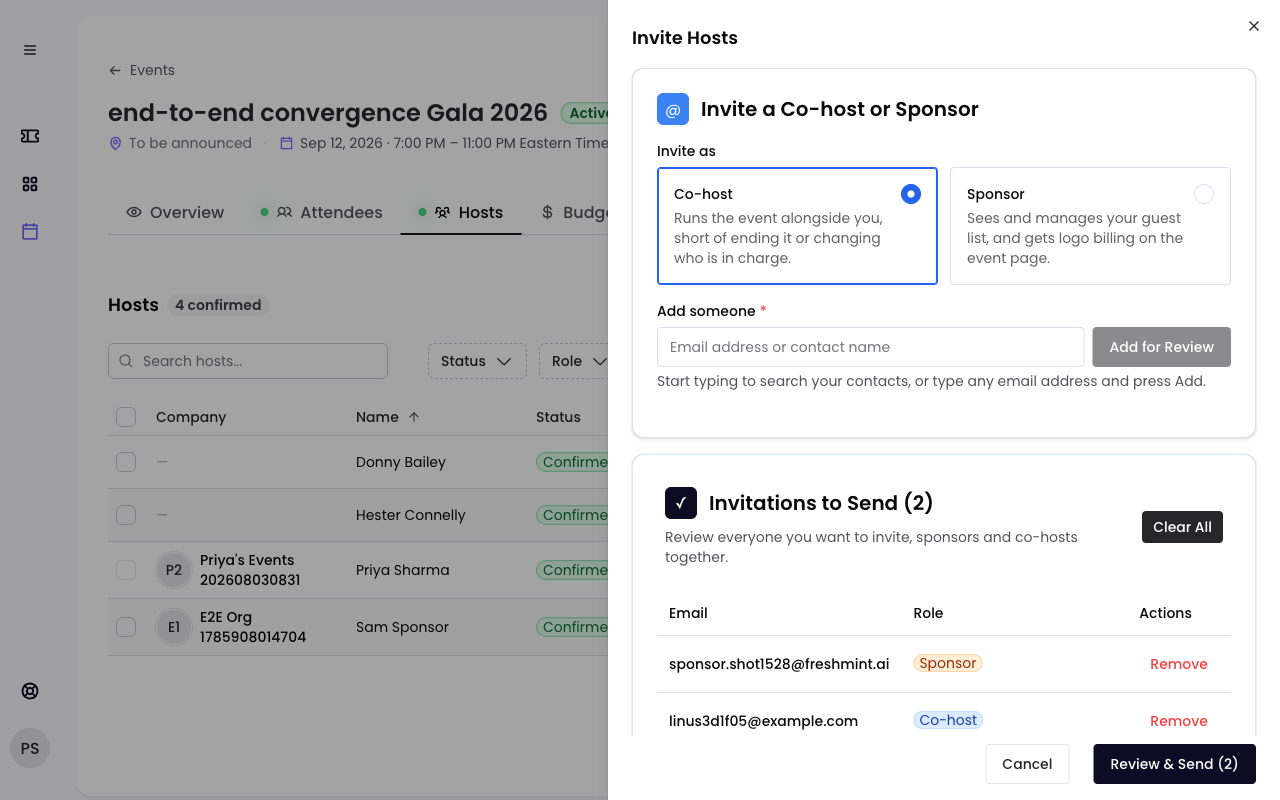
- Under Invite as, choose Co-host or Sponsor. Everyone you add next is invited in that role. Switch it before adding someone in the other role.
- Under Add someone, start typing to search your contacts, or type any email address, then select Add for Review.
- Repeat for everyone you want, co-hosts and sponsors together.
- Select Review & Send, check the list, and confirm.
Each person gets an email with a link to your event's sponsor view, where they can review your package and accept.
Or share the sponsor link
You can also send your sponsor link through any channel, for example LinkedIn or Slack. Anyone who opens it and asks to join appears on your Hosts tab as Requested. See Your sponsor package and sponsor link.
Where each person is
| Status | What it means |
|---|---|
| Invited | You sent an invitation and they have not answered |
| Requested | They found your sponsor link and asked to join |
| Interested | They accepted your invitation |
| Confirmed | A host approved them. They now have their role's access. |
| Declined | They said no, or backed out |
| Rejected | A host turned them down |
Approve or reject
When someone is Interested or Requested, open their row on the Hosts tab and choose Approve or Reject. Use View Notes to read anything they wrote when they accepted. Approved partners get a confirmation email with a calendar invite, their own attribution link, and access to the event.
Limit how many join
Select Update Host Capacity to set the maximum number of co-hosts and sponsors.
Remove someone
Open their row menu and choose Delete. Only the primary host can remove a co-host. Co-hosts can remove sponsors.
Common questions
What if they do not have a Freshmint account? They create one when they accept. It is free, and they are asked to set up their organization so you know who is joining.
Can I invite a colleague as a co-host? No. Colleagues already have access to every event in your organization. See Invite your team.
Can co-hosts invite other partners? Yes. Confirmed co-hosts can invite co-hosts and sponsors.
Still need help?
Email support@freshmint.ai or use the form in the help center. A person on the Freshmint team reads every message.
Contact support